
Using Imprime
Learn the editor: text, fonts, shapes, images, pages and variables. Open the guide →
Imprime speeds up document generation. You design a template in a visual editor, place variables where the content changes, and then generate the final PDF — from the Imprime button, from a REST API call, or from an AI agent through MCP.
Imprime is designed primarily for developers: it plugs into your architecture as a dedicated component you can fully delegate templating and PDF rendering to.
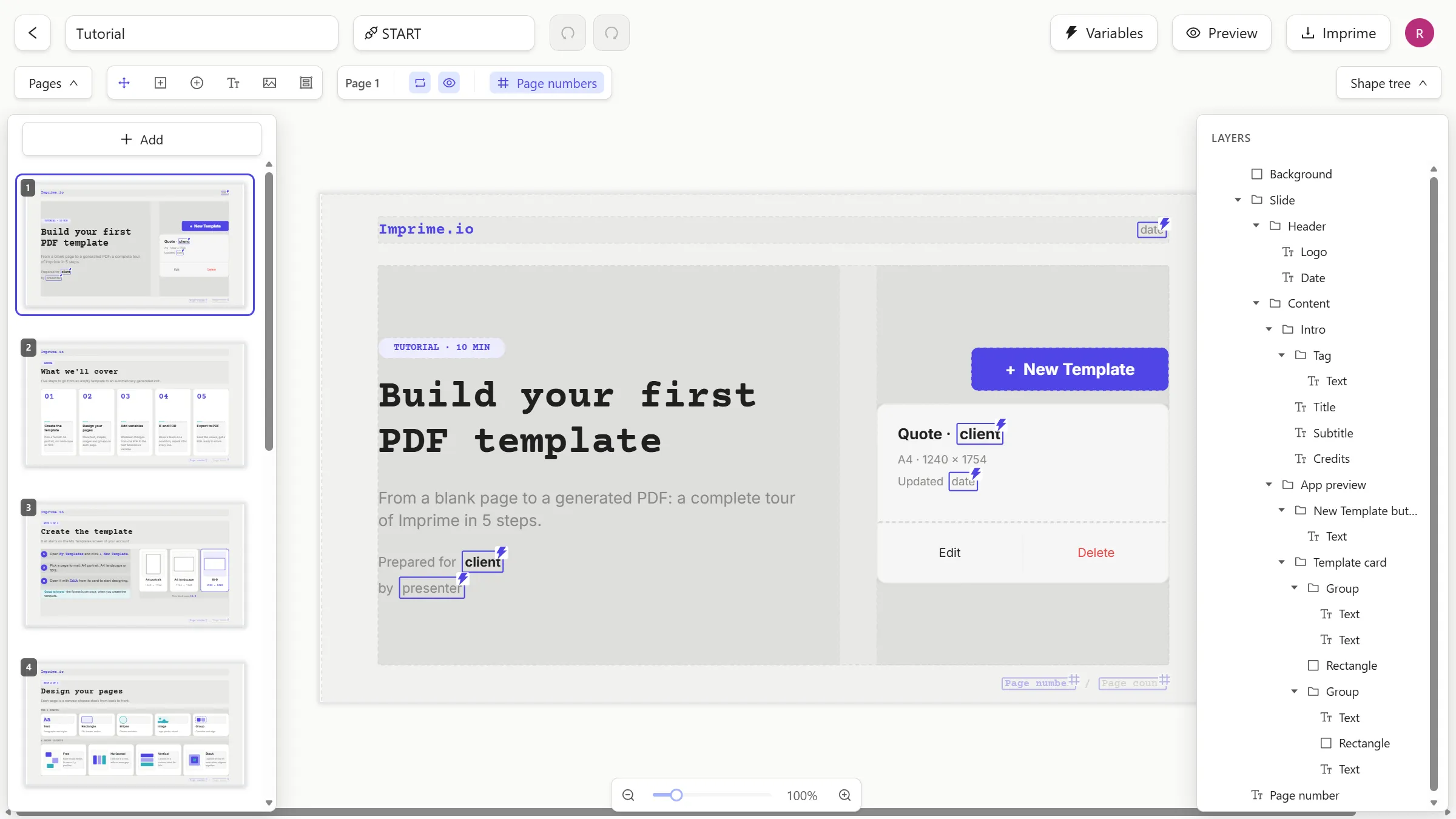
Generating documents programmatically is still tedious. DOCX markup is hard to maintain, HTML templates drift away from what the business actually wants to print, and every change to a layout ends up in a developer’s backlog.
Imprime splits the job in two:
Using Imprime
Learn the editor: text, fonts, shapes, images, pages and variables. Open the guide →
Recipes
End-to-end examples: invoices, certificates, badges in bulk, PDFs from a chat. See the recipes →
REST API
Generate PDFs and manage templates over HTTP with an API key. API reference →
MCP
Let Claude and other AI agents list your templates and generate PDFs. Connect an agent →
Self-hosting
Run Imprime on your own infrastructure with Docker and MongoDB. Deploy it →
Open source
Imprime is licensed under Apache 2.0. Browse the code →
The Apache 2.0 licence lets you do pretty much anything with Imprime — including redistributing it commercially. We simply ask, in all friendship, that you don’t take Imprime as-is and resell it as your own product or service.
The best ways to support the project: use it, share it, contribute, or use the upcoming official SaaS version.